This seems a stupid question. Of course blending projectors for a panorama show. But that is not all. Geobox comes in several types, even if they have more or less the same shape.

In general we can differentiate between projection, video and signal applications. Of course there are overlaps. The often lower cost video focused units can be used with butted edge projection and the blending designed units can work very well with video.
Geobox is also the ideal front end processor for video wall and LED wall applications.
But did you know that Geobox can also be used as a front end processor for VIOSO applications or systems using multi-display software.
What makes Geobox so interesting is that most units can be used in cascaded set-ups or in split set-ups.
Cascaded means that several units work together as a large processor, while in split mode the individual image processors in each unit dedicated to one output, can be used as a stand alone unit.

That means in a 4 output M804 for example, each output has individual inputs. So it is possible to use output 1+2 to blend one pair of projectors from one input and output 3+4 to blend another pair with different signals from another input.
Or, each output can be used to warp and control a separate projector. Since there are usually several inputs (HDMI, VGA, DP) per channel, functions like PiP can be used for each output, adding functionality to the projector. Of course colour correction, Gamma settings, etc. are available individually for each output.
A rather universal devise, don’t you think?
Since Geobox is so universal I have compiled a list of applications, the units can be used for. This is by no means a complete list.
By the way. Geobox is designed for computer free operation. But if you prefer to control or adjust your blending and other parameters, free Windows based software is available, plus a range of tools from the VNS website.

PROJECTION
- Projection blending on a flat screen. Output resolution per channel WUXGA or 4K depending on model.
- Projection on a curved screen.
- Simulation.
- Gaming.
- Extending the adjustment capabilities of projectors, such as geometric adjustments, corner fit,etc.. Black levels and colour correction.
- Cascading several units for larger shows.
- Adding PiP capability to a projector.
- Adding POP capability.
- Operate the projection system without a computer (PC).
- Image rotation.
- Setting up a mixed projector arrangement with landscape and portrait placed projectors.
- Setting up 2 separate blending shows, each with two projectors from one single 4 channel Geobox.
- Installing a projector offset from the screen center, requiring geometric adjustments.
- Remote access to the unis via Web or Network.
- Setting up projectors over a corner or a protrusion in a wall.
- Stack two or more projectors to increase on-screen brightness.
- Adding projection mapping (M804EX).
- Adjust your projection to irregular shaped displays without changing the aspect ratio.
- Setting up larger blending shows with more than 4 projectors.

VIDEOWALL/ LED
- Mutiviewer applications with several inputs displayed on a single 4K monitor.
- Front end processing for LED walls.
- Rotate the input to fit vertically positioned monitors.
- Creating a low cost video wall with ‘cheap’ consumer monitors.
- Adjust the output frequency to suit the monitors.
- Flip the input.
- Rotate the input to fixed angles or free adjustment.
- Create a creative video wall with landscape and vertical monitors.
- Create an 8K/2K video wall.
- Stretch one input over several monitors.
- Create a panorama display with low cost computer monitors.
3D APPLICATIONS
- Convert 3D video signals into passive 3D displays.
SIGNAL PROCESSING
- HDMI amplification and distribution.
- EDID adjustment per channel.
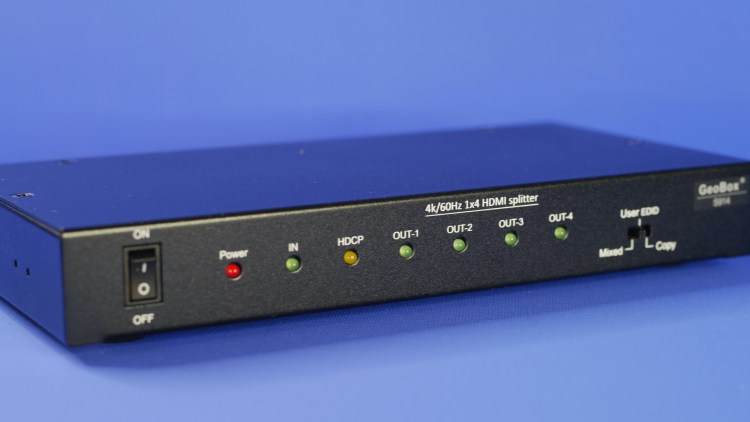
Of course new features are being added all the time. For more information contact itiav.clientservices@iti-imagegroup.com.au or browse http://www.vnstw.com

Discover more from ITI-Image Group, Sydney
Subscribe to get the latest posts sent to your email.
